
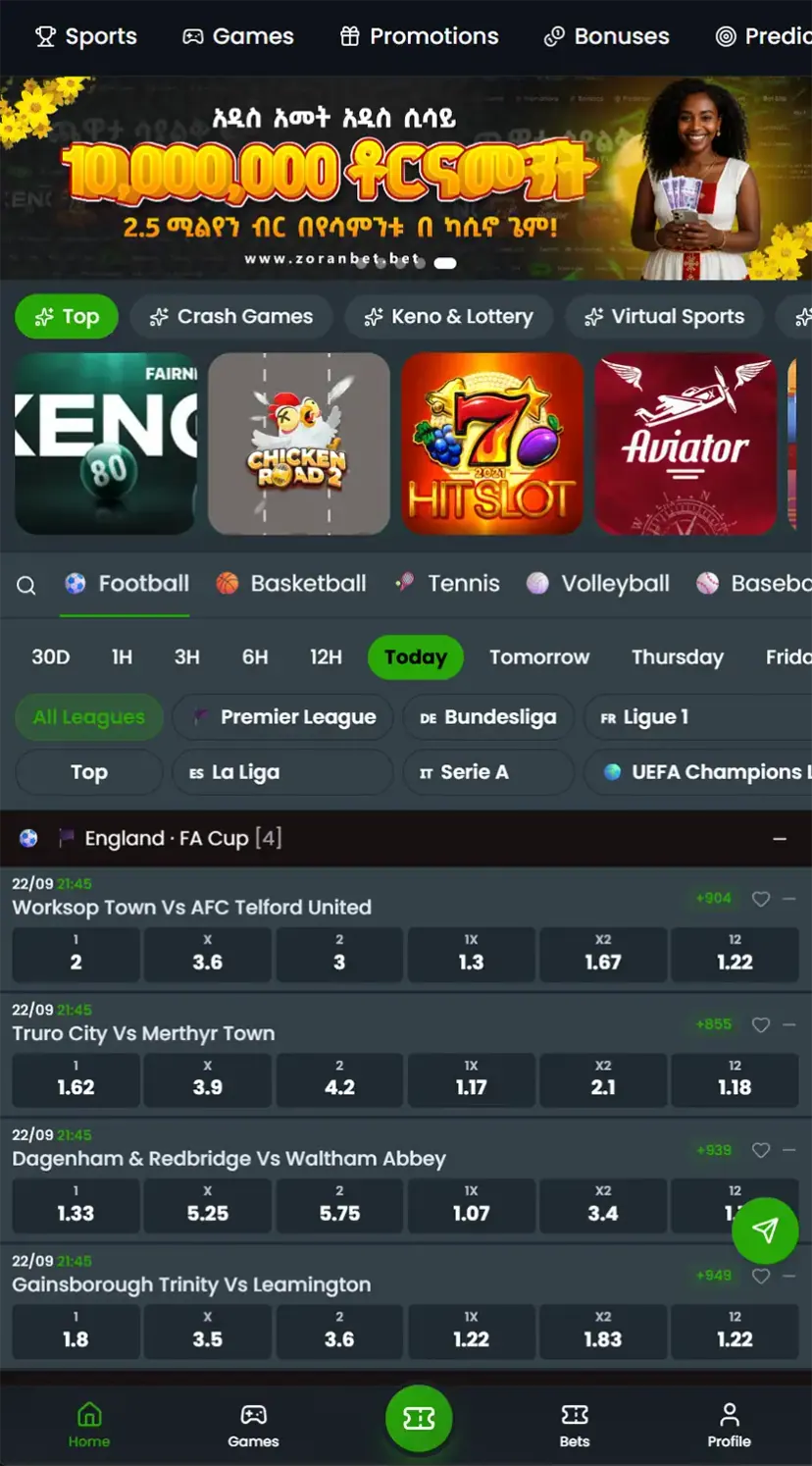
An account on Zoran Bet is required before any sport bet or casino game can be played for real money — odds and game thumbnails are visible without signing in, placing a bet or spinning a wheel isn't. Registration is phone-number-based, and the same phone number doubles as the login username afterward.
Who Can Register
Zoran Bet's own onboarding material states a minimum age of 18 to play, and the site is built around Ethiopian phone numbers and Ethiopian birr — the registration form itself only accepts local mobile formats, which effectively ties an account to Ethiopia rather than another market.
That's a narrower requirement than platforms that accept any international number and sort out currency and payment methods afterward — here, the phone-number format itself is the gate, before currency or payment methods even come into it.
The Sign-Up Form
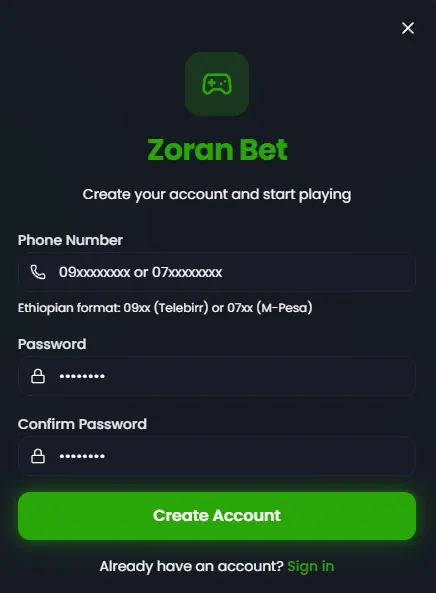
Registration asks for a phone number, a password and a confirmation of that password — three fields in total. The phone field states its expected format directly on screen: 09xx for Telebirr numbers or 07xx for M-Pesa numbers, both Ethiopian mobile prefixes rather than an international format.
A "Register" button sits in the header alongside "Login," both reachable from the bet slip panel and the main navigation without needing to browse into a sport or game first.
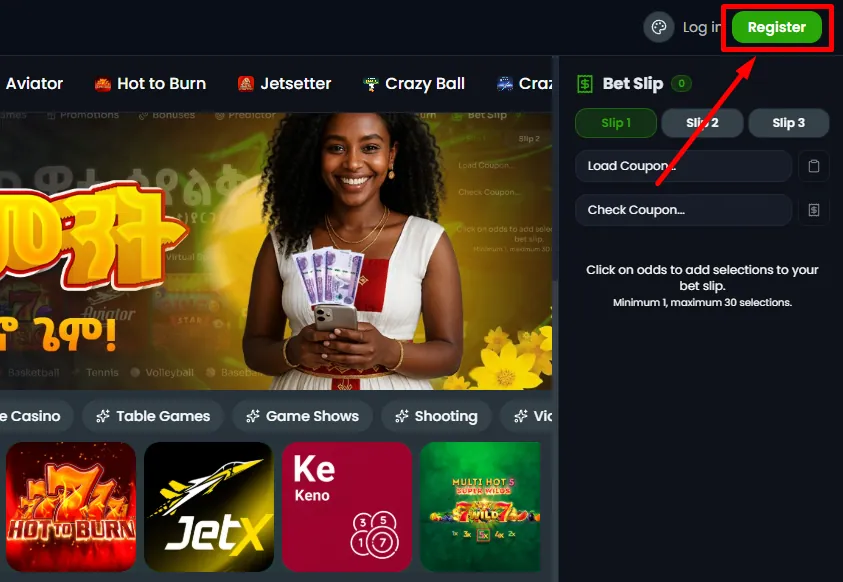
The header buttons and the bet-slip panel both link to the same Register form, so the prompt to sign up shows up in more than one place on the page rather than being tucked away in a menu.
Verification
Zoran Bet's own "How to Play" guide describes account verification as automatic once the form is submitted — no separate document-upload or ID-check step is described at the registration stage itself. That's a lighter verification bar than platforms that ask for ID at sign-up; it shifts most of the actual checking to the withdrawal stage instead, where the Payments page describes a name-matching requirement against a linked Telebirr account.
Signing In
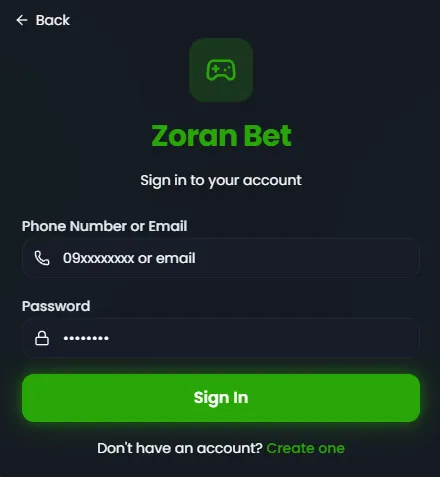
The login form uses either the phone number or an email address, alongside the password set at registration. Unlike the registration screen, which only mentions phone numbers, sign-in explicitly allows an email as an alternative identifier.
Forgotten Password and Locked Accounts
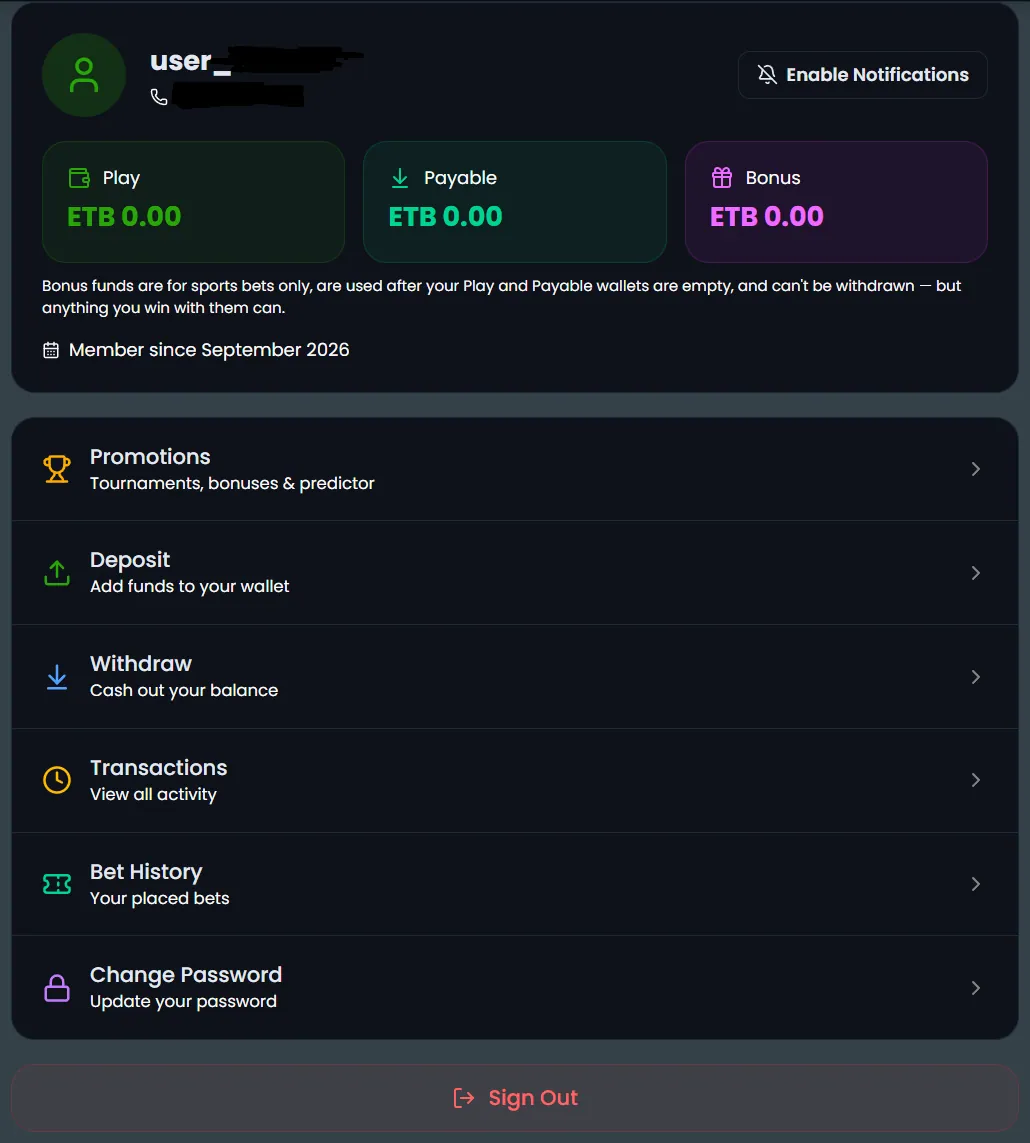
No dedicated "forgot password" link appears directly on the sign-in form itself in the screens reviewed for this page. A Change Password option does exist inside the account page once signed in, for someone who still has access and simply wants to update it.
For a genuinely lost password, or a locked or otherwise inaccessible account, the more direct route is Zoran Bet's own support channel — a Telegram account (@zoransupportteam) linked from the site's Contact page — and the on-site Quick Help notice, which asks that any urgent account-related message include the account username so support can look it up faster.
Nothing on the registration form asks for an email address, a physical address or a copy of an ID document — the three fields shown are the entire form. That's noticeably lighter than the sign-up process on platforms that verify identity documents before an account is usable, and it means the phone number itself carries more weight as the one piece of identifying information tied to the account.
Switching Between Sign-Up and Sign-In
Both forms link to each other directly: the login screen carries a "Don't have an account? Create one" line under the Sign In button, and the registration screen carries the reverse, "Already have an account? Sign in," under Create Account. Neither form requires leaving the page or the header buttons to switch between the two.
Because the phone number doubles as the account identifier for both sign-up and sign-in, losing access to that number is a bigger problem than losing a password. A forgotten password can, in principle, be reset through support; a phone number tied to an existing account generally can't just be swapped for a new one without going through the same support channel, since the number is effectively how the account is recognised in the first place.
What an Account Actually Unlocks
Signing up doesn't by itself do anything beyond creating the account record and setting a starting balance of zero across the Play, Payable and Bonus wallets described on the Payments page. Placing a bet on the Sport page or opening a real-money round in Games both depend on a funded balance, a separate step from registration itself.
Common Registration Mistakes
- Entering a phone number outside the two accepted prefixes (09xx or 07xx) — the form is built around Ethiopian mobile numbers specifically.
- A password and confirmation that don't match, which the form checks before allowing the account to be created.
- Trying to register a phone number that's already tied to an existing account, since each number appears to function as a single account's identifier.
- Registering with the intention of using an international card or a payment method outside Telebirr and CBE Birr — the account itself will open, but funding it depends on the local rails covered on the Payments page.
Account setup is one part of using Zoran Bet; the Sport page covers the sportsbook an account unlocks, and the Games page covers the casino catalogue running behind the same account.
Frequently asked questions
Who can register on Zoran Bet?
Zoran Bet's onboarding material states a minimum age of 18, and the sign-up form only accepts Ethiopian mobile numbers (09xx or 07xx prefixes).
What information does registration require?
A phone number in Ethiopian format, a password, and a confirmation of that password — three fields in total, with no document upload at sign-up.
How is a new account verified?
Zoran Bet's own How to Play guide describes verification as automatic once the registration form is submitted, with more thorough checks — name-matching against a linked Telebirr account — applied later at withdrawal.
What if I forget my password?
No forgot-password link appears directly on the sign-in form in the screens reviewed here. The more direct route for a lost password or locked account is Zoran Bet's own Telegram support channel, @zoransupportteam.
Can I sign in with an email address instead of a phone number?
Yes for signing in — the login form accepts either a phone number or an email. Registration itself is phone-number based.